External Events Receiver & Version 3.5 — Metrici News
Product Launch · External Events Receiver & V3.5

External Events Receiver
and Version 3.5

Centralize events from external cameras and sensors. Version 3.5 brings enhanced AI, bounding box reduction, and location map uploads.

External Events Receiver
Version 3.5
Enhanced AI
Centralized Monitoring

Version 3.5 is here.
New module. Better AI. Centralized monitoring.

Version 3.5 highlights: Enhanced neural network, improved interface settings, and the new External Events Receiver module — all developed based on partner and client feedback.

Many of these improvements were introduced following partner feedback.

Metrici is also introducing the External Events Receiver module — designed to integrate with cameras that have built-in analytic capabilities. Users appreciate the intuitive Metrici Interface and wanted a centralized hub for events, data, and third-party integrations.

One interface for
all your events.

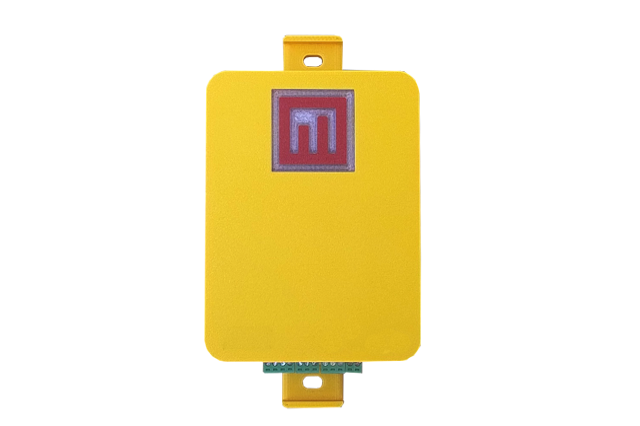
The system also integrates with any hardware or software capable of triggering Metrici to capture a videostream screenshot when an event occurs.

When Metrici receives a trigger from an external unit, it captures a witness photo from the specified videostream. The image and event data are sent to the interface and categorized according to the user configuration.

Events can later be accessed, organized, filtered, and exported — just like any other Metrici data.

How it works: External systems (cameras, sensors, alarms) send trigger commands → Metrici captures a snapshot from the configured videostream → The image and event data are sent to the interface → Events are categorized and timestamped → Users can review, filter, and export them.

Beyond video analysis.
Track any event, from any source.

For example, a camera with tampering detection can send a command to Metrici when someone attempts to vandalize it. The same scenario applies to any alerts, queue detection, motion detection, or any other on-camera analysis.

Beyond Metrici's core video analysis capabilities, the module also tracks and alerts on specific events, transforming raw data into actionable intelligence. Users can consult reports and graphical analysis at any time.

Monitoring dozens of cameras can be overwhelming. Metrici aggregates relevant data for easy access and stores only the events that matter. Alerts can be sent via email or SMS, or external hardware can be triggered — all based on conditions defined in the Metrici interface.

🔒 Tampering Detection

Cameras with tampering analytics trigger Metrici to capture evidence when vandalism is detected.

🚨 Motion & Queue Alerts

On-camera motion detection or queue thresholds trigger snapshot capture and event logging.

🔔 Third-Party Sensors

Integrate with any hardware or software that can send trigger commands to capture contextual images.

📊 Centralized Reporting

All events — from Metrici engines and external sources — converge in a single, searchable interface.

What's new in V3.5.
Enhanced AI. Smarter detection. Visual maps.

Regarding version 3.5 of Metrici, this includes new algorithms and retrained models for all AI detection engines. The interface also features several new settings for more granular control.

V3.5 Enhancements
🧠
Re-trained AI engines All detection modules benefit from improved neural networks for higher accuracy
📦
Bounding box reduction Reduces false detections in Parking Place Detector when vehicles are close together near frame edges
🗺️
Location map upload Overlay custom maps with defined parking spaces and counting zones for visual occupancy tracking
⚙️
Refined interface settings More granular control over detection parameters and event configuration

At the same time, a location map can be uploaded to the interface, allowing users to define parking spaces or counting zones for instant, comprehensive visual occupancy reports. Parking space status changes are visualized in the interface in real time.

Configure once.
Monitor everything.

Users can configure unlimited event types, filterable by camera, location, and time interval. Live View and Events Flow menus remain accessible at all times.

As always, alerts can be sent via email or SMS, or external hardware can be triggered. Users can also schedule periodic reports or summary lists of events.

Subscribe to Metrici newsletter.