Metrici MultiController V2 — New Case, Firmware & GUI
Hardware Upgrade · Version 2

Metrici MultiController
rebuilt from the inside out.

New case. New firmware. New GUI. Same reliable LAN controller.

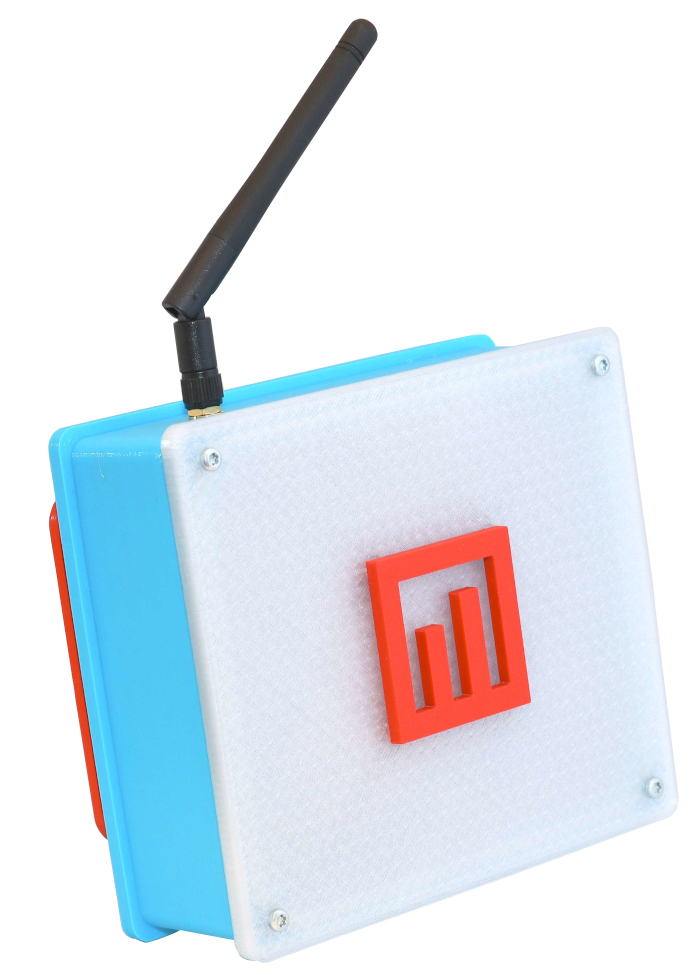
New Resistant Case
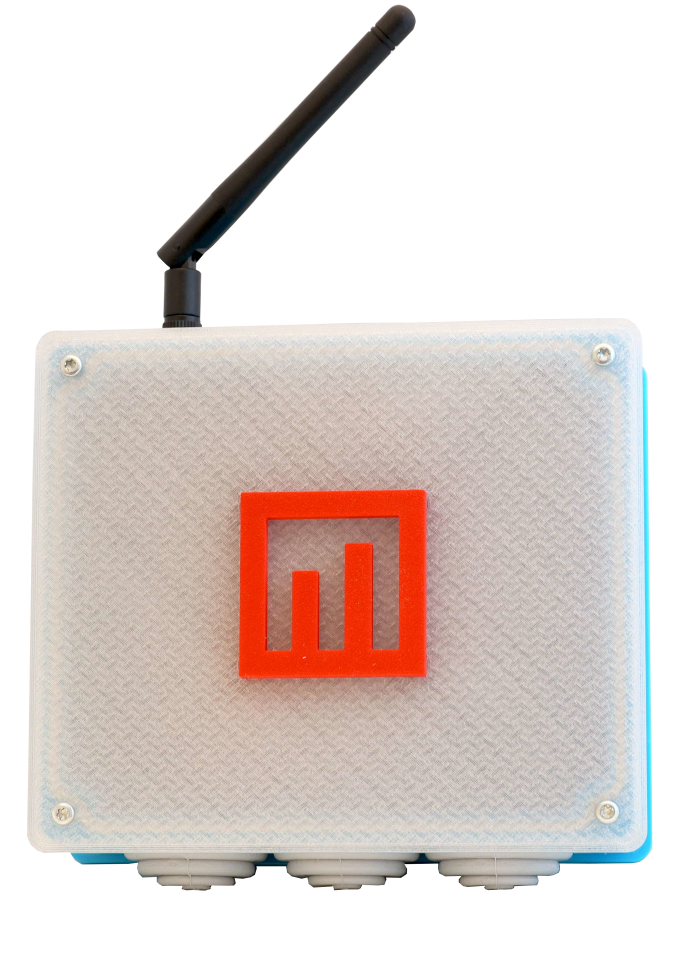
Translucent Lid
Modern Firmware
Redesigned GUI
RFID Support
2
Hardware protocols
Wiegand
MMCW support
WiFi +
Ethernet
Dual connectivity
12–38V
Power range
RFID
Internal module

A complete upgrade,
inside and out.

Metrici MultiController has reached a new version as the team designed a new case — modern and more resistant. But not only the exterior, the body, is different. Also, its "mind" is updated with new software and features.

On one hand, the device offers a variety of colors and a translucent lid which lets you see when it is working. On the other hand, a new firmware was developed alongside a new GUI that accompany the exterior visual changes. The product is totally changed, but much better and more helpful.
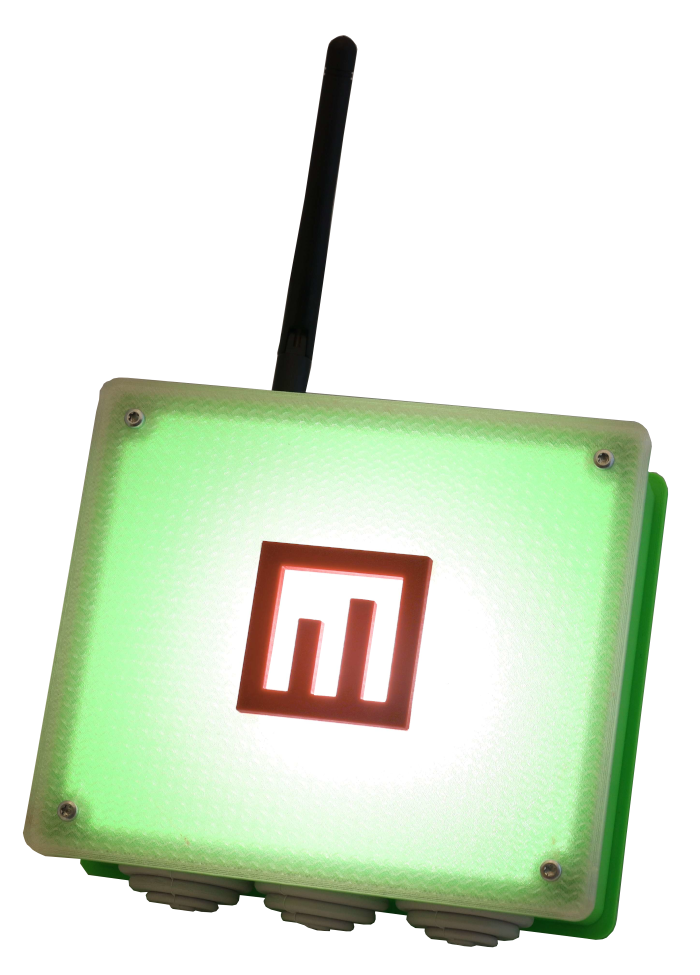
MultiController V2 — Transparent lid
MultiController V2

Transparent lid — see it working

MultiController V2 — Wiegand capabilities
MultiController V2

Wiegand capabilities built in

New case, new aesthetics.

The upgraded exterior features a more resistant build, a translucent lid, and multiple color options — designed for both form and function.

MultiController V2 — Transparent lid
Exterior

Transparent lid — visual status indicator

MultiController V2 — Wiegand capabilities
Exterior

Wiegand protocol support

MultiController V2 — WiFi and Ethernet
Exterior

WiFi and Ethernet connectivity

MultiController V2 — RFID protocol
Exterior

Optional RFID protocol — instant parking

Built for any scenario.
Powered by versatility.

The Metrici MultiController is a LAN controller developed entirely by Metrici, allowing communication and command of two external hardware devices that can receive HTTP commands. It can be powered by a 12–38V power source and has Ethernet and WiFi capabilities adapted for different scenarios.

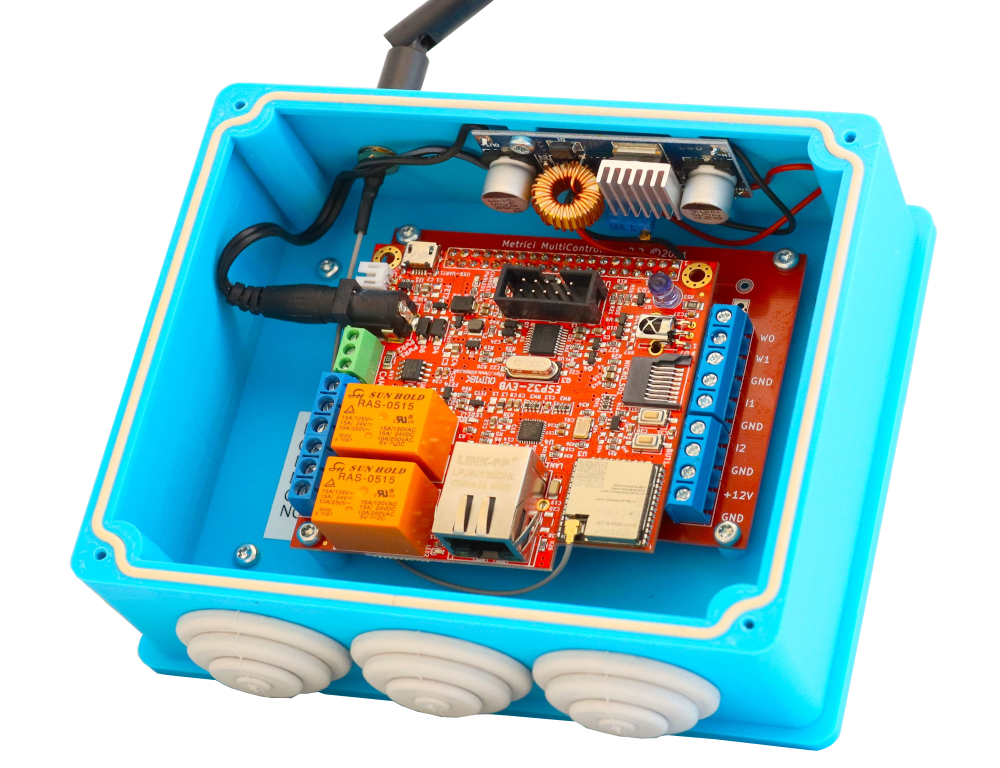
MultiController — Connecting ports
Hardware

Connecting ports — inputs, outputs & power

MultiController — Interior view
Hardware

Interior — fully developed in-house

MultiController V2 · Key Features
1
HTTP command control for two external hardware devices
2
Wiegand protocol implemented (MMCW) for access control integration
3
WiFi and Ethernet connectivity for flexible deployment
4
12–38V power range for diverse power sources
5
Single-file settings upload for automated deployment
6
Internal RFID communication module support

All the ways to connect.

Multiple protocols and interfaces for maximum flexibility in any deployment scenario.

Wiegand
Access control integration with central stations
WiFi
Wireless connectivity for flexible placement
Ethernet
Wired connection for reliable operation
RFID
Internal module for cross-check scenarios

Firmware & GUI,
redesigned.

The new interface is more friendly and adapted to the needs of our partners. Only one file is needed for automated settings upload — a major improvement over the previous version which required multiple separate files.

As the first version had different settings files to be uploaded when needed, now there is only one file required for uploading settings for the entire device. This is very useful when implementing multiple MultiControllers in a location.

One file. Full configuration. No more juggling multiple settings files. Upload once and the entire device is configured — essential for multi-device deployments.
RFID inside the case. From now on, RFID communication can be implemented internally, enabling cross-check triggers and conditional actions set in Metrici Interface.

Three ways to use it.

Flexible deployment for access control, detection scenarios, and RFID cross-checking.

Detection & Control

Connect to two inductive loops or sensors to trigger Metrici engine detection. Command up to two barriers, two traffic lights, or other external hardware via its two digital outputs. For example, make a traffic light red if a car doesn't have access rights, or change color when more than X cars are waiting in queue.

Wiegand Access Control

When a license plate is detected, the Metrici Engine performs a Check Action to the controller, which asks for a Wiegand ID from the Metrici Database. If the plate has a Wiegand ID with area rights, the controller passes it to the Access Control Central Command to open a barrier, a door, or trigger any external hardware. No ID or no rights means no action.

RFID Cross-Check

Similar procedure can be established using the RFID option as a trigger or for cross-checking and taking action based on special conditions set in Metrici Interface. The device can also serve companies as a timesheet device for employees.

When communicating with Metrici Database and Interface, the MultiController receives commands to take action or not for specific license plates when detected. It can also be linked to the Metrici database and Interface besides a Wiegand Central.

Ready to upgrade your hardware?

Metrici MultiController V2 — new case, new firmware, same reliable performance.

Subscribe to Metrici newsletter.